Quickly create bootable USB drives for smooth OS installation, repair, or convenient PC booting from anywhere
Quickly create bootable USB drives for smooth OS installation, repair, or convenient PC booting from anywhere
Vote (1 votes)
Program license Free
Developer Bureausoft Corporation
Version 2.01
Works under Windows
Vote
(1 votes)
Developer
Bureausoft Corporation
Works under
Windows
Program license
Free
Version
2.01
Pros
- Free desktop tool designed specifically for creating Windows bootable USB drives
- Simple, single-window interface that keeps all key options in one place
- Automatic detection of connected USB drives to simplify target selection
- Ability to erase previous data on the USB device before creating the boot media
- Option to update the Master Boot Record and show detailed progress during processing
- Tested with over 20 USB controller brands, including major manufacturers
- Useful for installations, reinstalls, repairs, configuration fixes, and testing on shared or borrowed PCs
Cons
- Feature set and description focus on Windows, so users of other operating systems are not directly addressed
- Advanced customization options beyond data erasure and MBR updates are not highlighted in the available information
Bootable USB Creator is a free desktop application from BureauSoft Corporation that turns an ordinary USB stick into a bootable Windows drive. It is aimed at Windows users who want a straightforward tool for installing, repairing, or starting their system from USB, whether on their own PC or on another machine.
Focused design for creating Windows boot drives
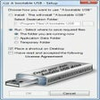
Bootable USB Creator concentrates on a single task: preparing a USB drive that can start Windows. The program brings the key choices together in one interface, so you do not have to browse through separate screens to change important settings.
You select the USB drive you want to use and the Windows image file, and the utility takes care of the rest. Automatic detection of connected USB drives helps reduce the chance of picking the wrong device and speeds up the preparation process. A drop-down menu lets you choose from several master boot codes, which gives a bit more control to users who understand how they affect startup behavior.
By keeping everything in one window and minimizing the number of decisions the user has to make, the software aims to make creating a bootable USB a quick routine instead of a chore.
Extra controls for system maintenance tasks
Beyond basic drive and image selection, Bootable USB Creator offers three additional options that give more flexibility when building the bootable media. The feature list highlights several useful controls.
You can erase existing data on the USB drive before writing the new boot files, which helps avoid confusion with leftover content. The tool can also update the Master Boot Record (MBR) during creation, an option that can be valuable when you are troubleshooting systems that do not start correctly. For users who want visibility into what is happening, there is an option to show progress during processing.
These capabilities make the program useful not only for first-time installations but also for tasks such as clean reinstallations, operating system upgrades, repair of damaged configurations, or simply testing how a particular Windows setup behaves on a given PC.
Suited to mobile and shared-computer scenarios
Bootable USB Creator can be particularly handy when you often move between different machines. The bootable stick you generate can help you start Windows on a borrowed desktop or a computer in a public place such as an internet café, provided the hardware supports booting from USB. This can be a practical way to access your familiar environment or to work on a system that does not have a fully functional installation on its internal drive.
Since the tool is free of charge, it also fits users who only occasionally need to create recovery or installation media and do not want to invest in more complex utilities.
Hardware compatibility backed by wide controller support
BureauSoft states that Bootable USB Creator has been tested with more than 20 USB drive controller brands. The list includes well known names such as Intel, Samsung, Micron, Marvell, Toshiba, Realtek, SanDisk, Western Digital, and others like SMI, Sierra, Hyperstone, and Novachips.
This broad controller coverage suggests that the program is designed to work reliably with a wide variety of USB flash drives and external devices. For users who manage multiple drives from different manufacturers, that level of testing can reduce compatibility concerns.
Overall impression
Bootable USB Creator comes across as a focused and practical utility. It targets a specific need, creating Windows bootable USB media, and supports that with automatic drive detection, centralized controls, optional data erasure, MBR updating, and progress display.
The description emphasizes convenience and time savings rather than advanced tuning. Users who want a free, no-nonsense way to prepare USB sticks for Windows installation, repair, or testing scenarios are likely to appreciate its straightforward approach and broad controller support.
Pros
- Free desktop tool designed specifically for creating Windows bootable USB drives
- Simple, single-window interface that keeps all key options in one place
- Automatic detection of connected USB drives to simplify target selection
- Ability to erase previous data on the USB device before creating the boot media
- Option to update the Master Boot Record and show detailed progress during processing
- Tested with over 20 USB controller brands, including major manufacturers
- Useful for installations, reinstalls, repairs, configuration fixes, and testing on shared or borrowed PCs
Cons
- Feature set and description focus on Windows, so users of other operating systems are not directly addressed
- Advanced customization options beyond data erasure and MBR updates are not highlighted in the available information